We've made it super simple to save the content you use in your "Brief" as a Snippet. Here's how:
- 1
-
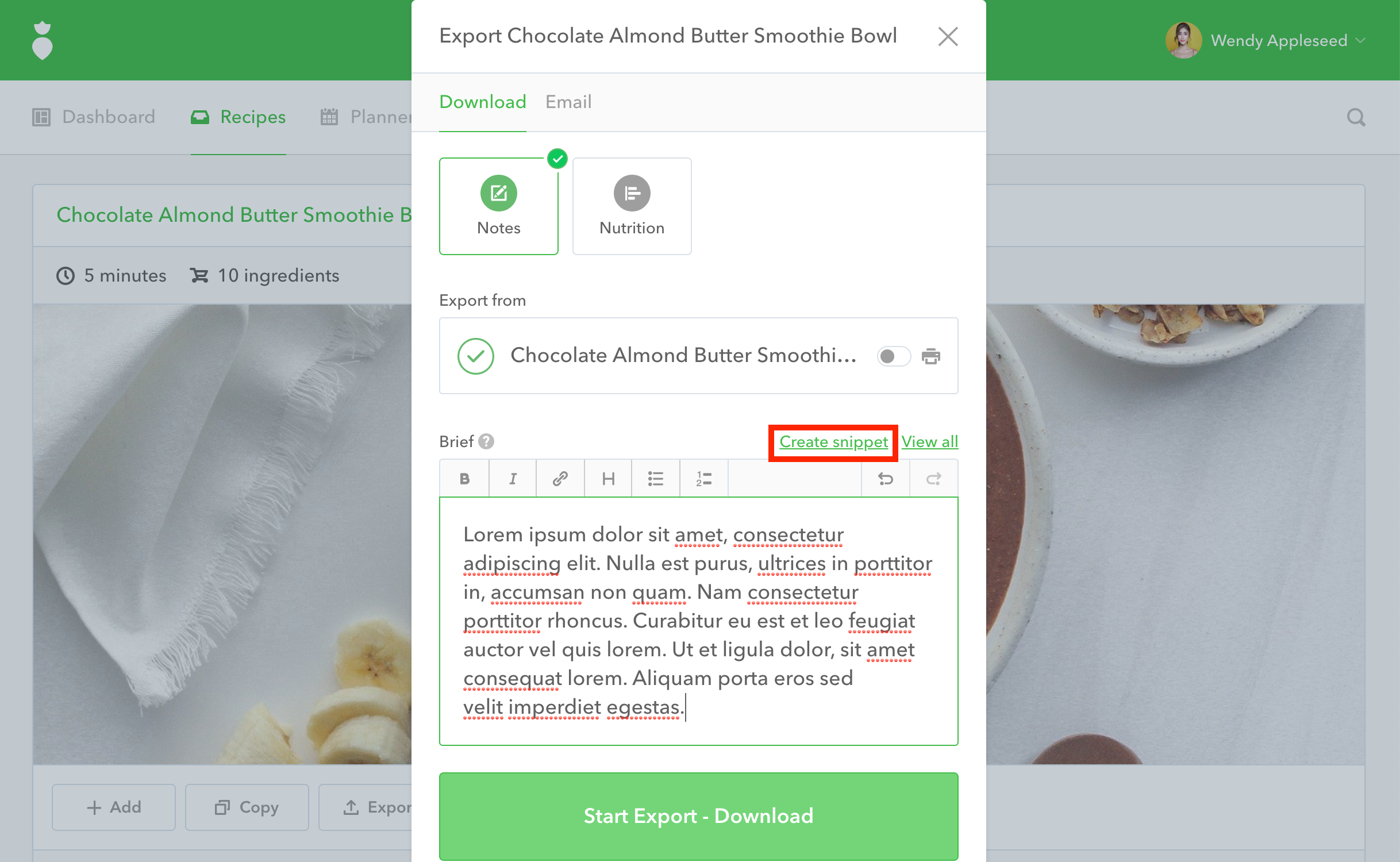
From the "Export" dialog, type your text into the "Brief" section, then click the Create snippet link:
- 2
-
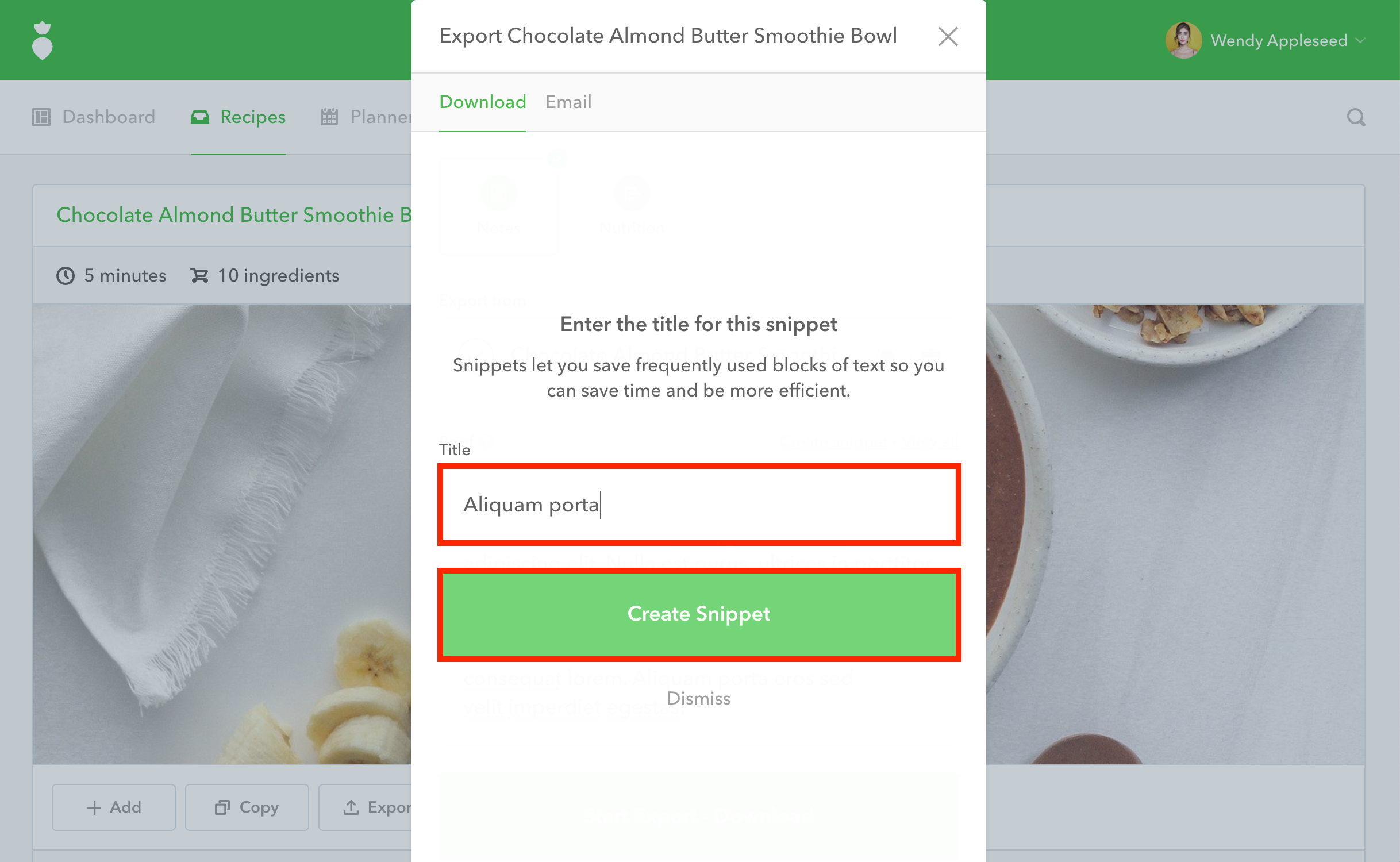
Give your Snippet a title and click the Create Snippet button:
- 3
-
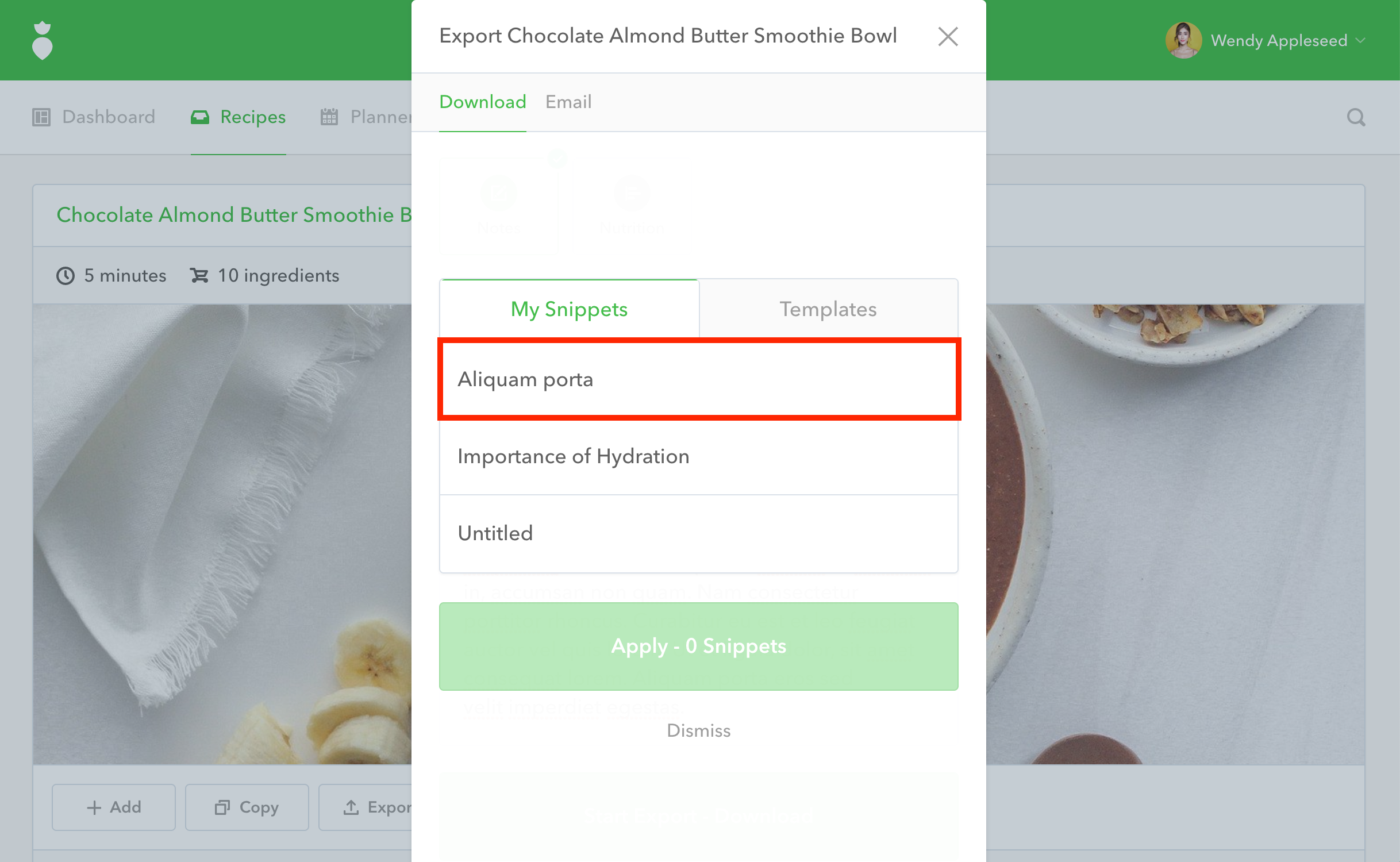
Your Snippet will now be saved under "My Snippets" so you can use it again in the future: