Deleting a plan is simple! Here's how:
- 1
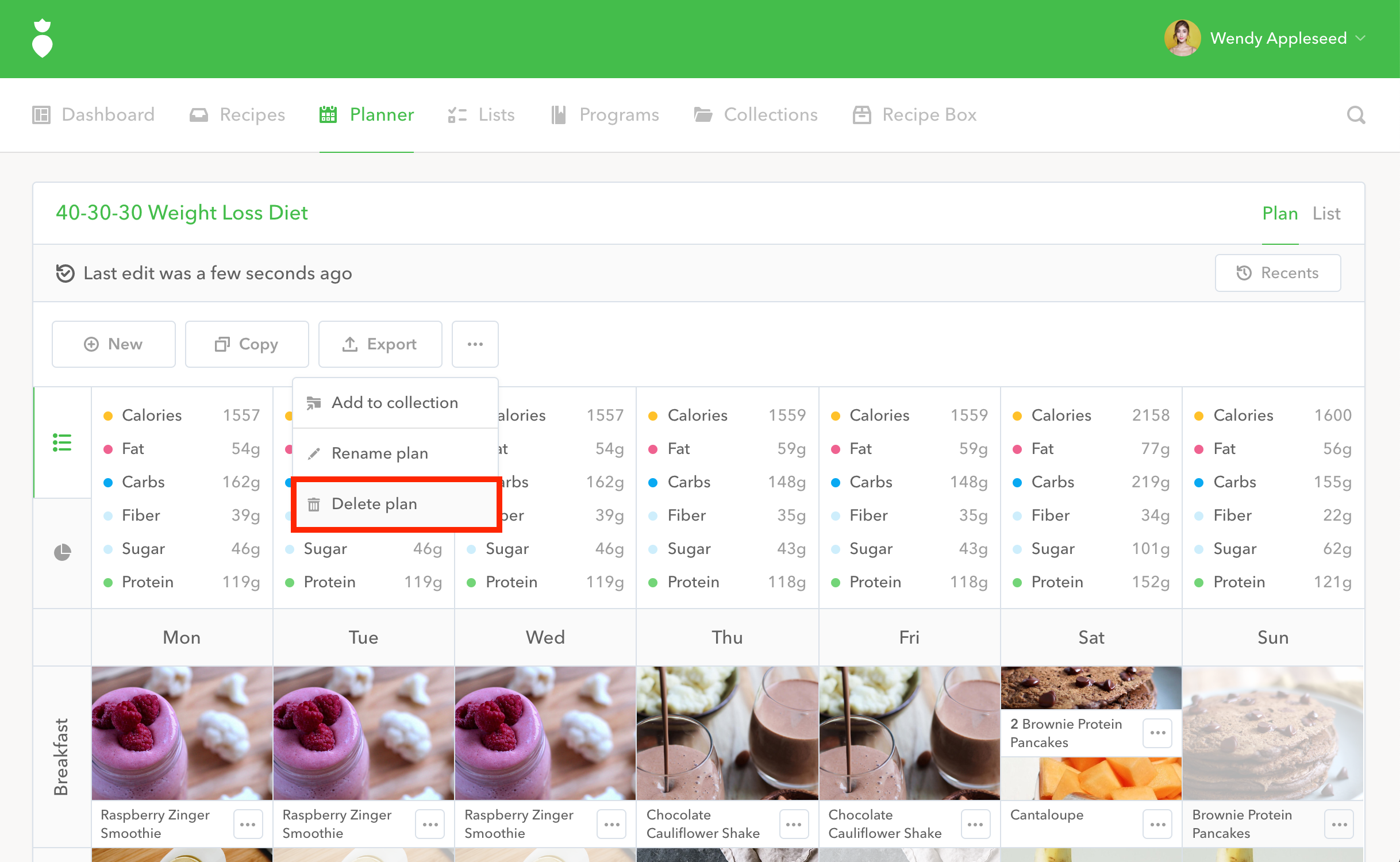
From your Planner, click the ••• menu button, then click Delete plan:
- 3
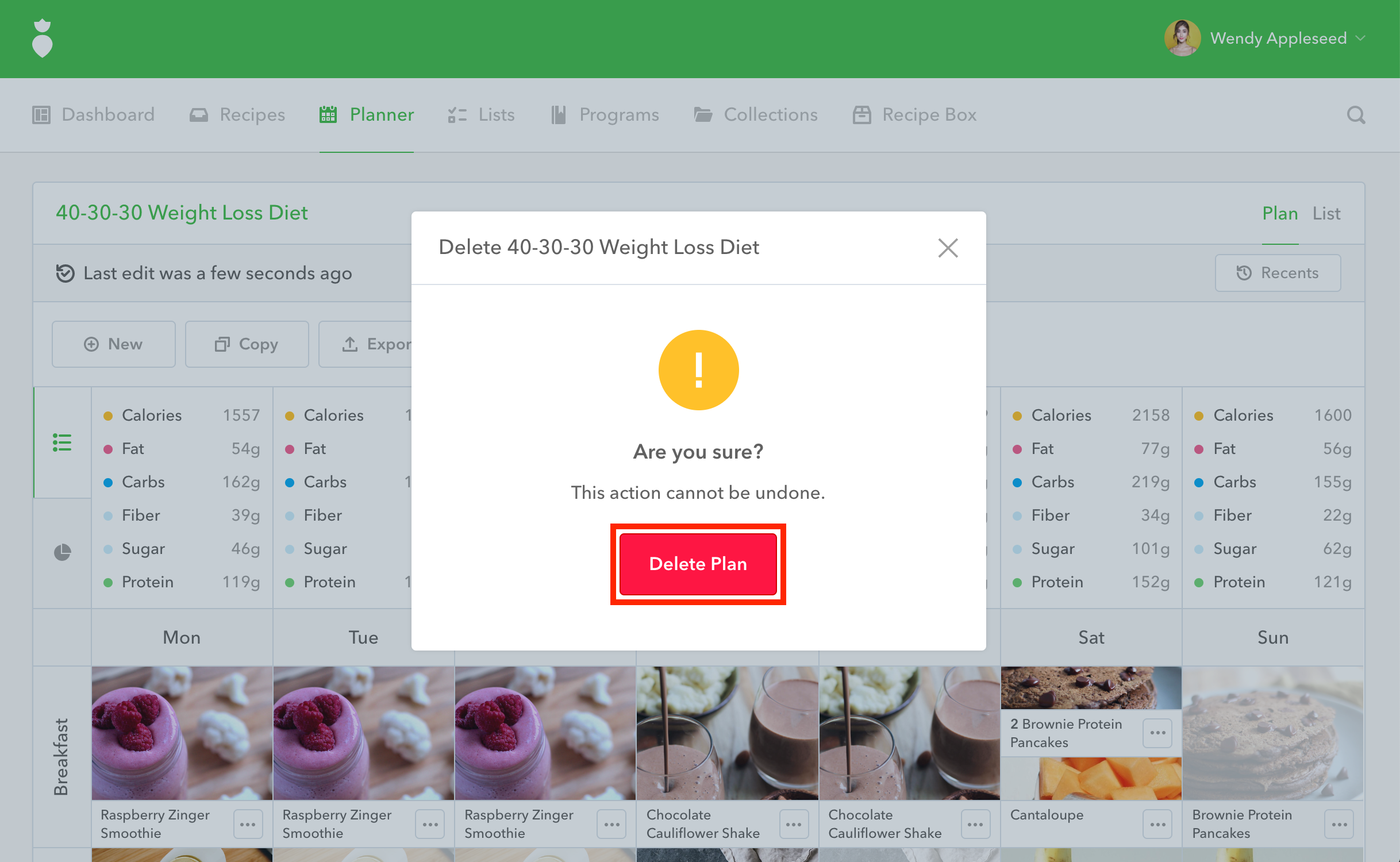
You'll be prompted by a "Delete" confirmation dialog, click the Delete Plan button:
Note: Deleting a plan will delete it's associated List but it will not delete any recipes associated with that plan.