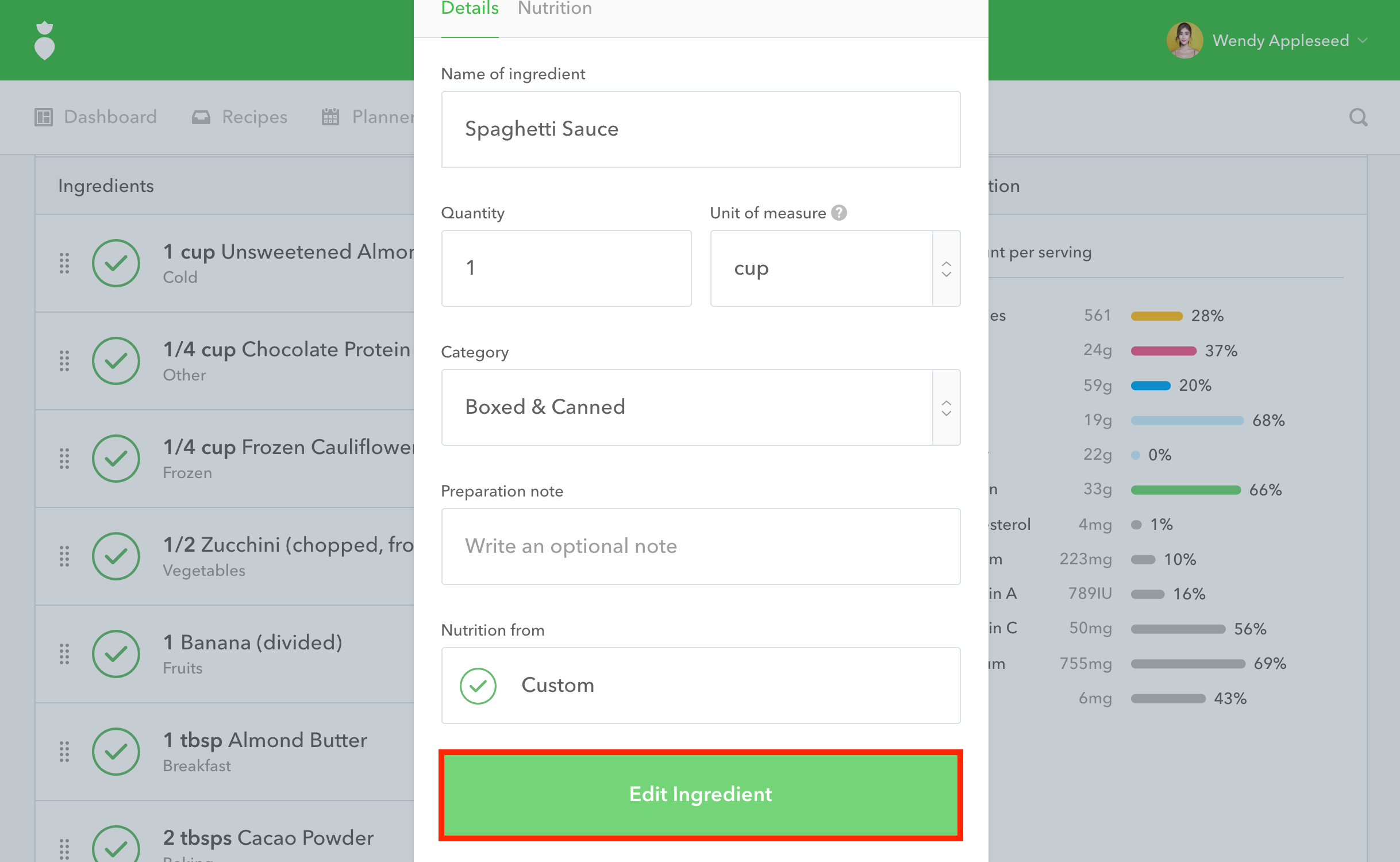
If you would like to enter your own custom nutrition facts for one of your ingredients simply follow these steps while adding or editing a recipe within your Recipe Box:
- 1
-
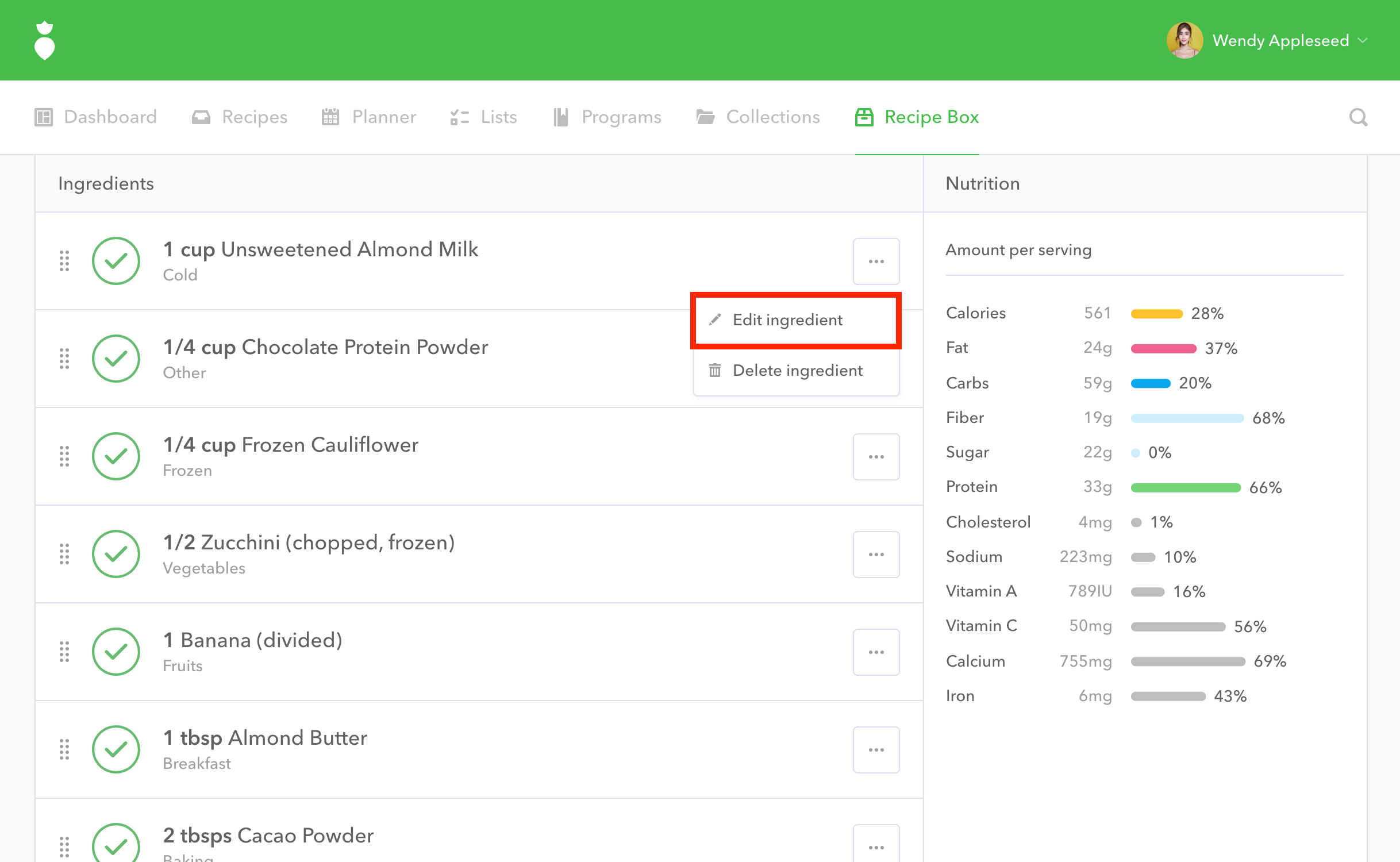
Click the
••• menu button to the right of any ingredient to display a contextual menu, and then click
Edit Ingredient.
- 2
-
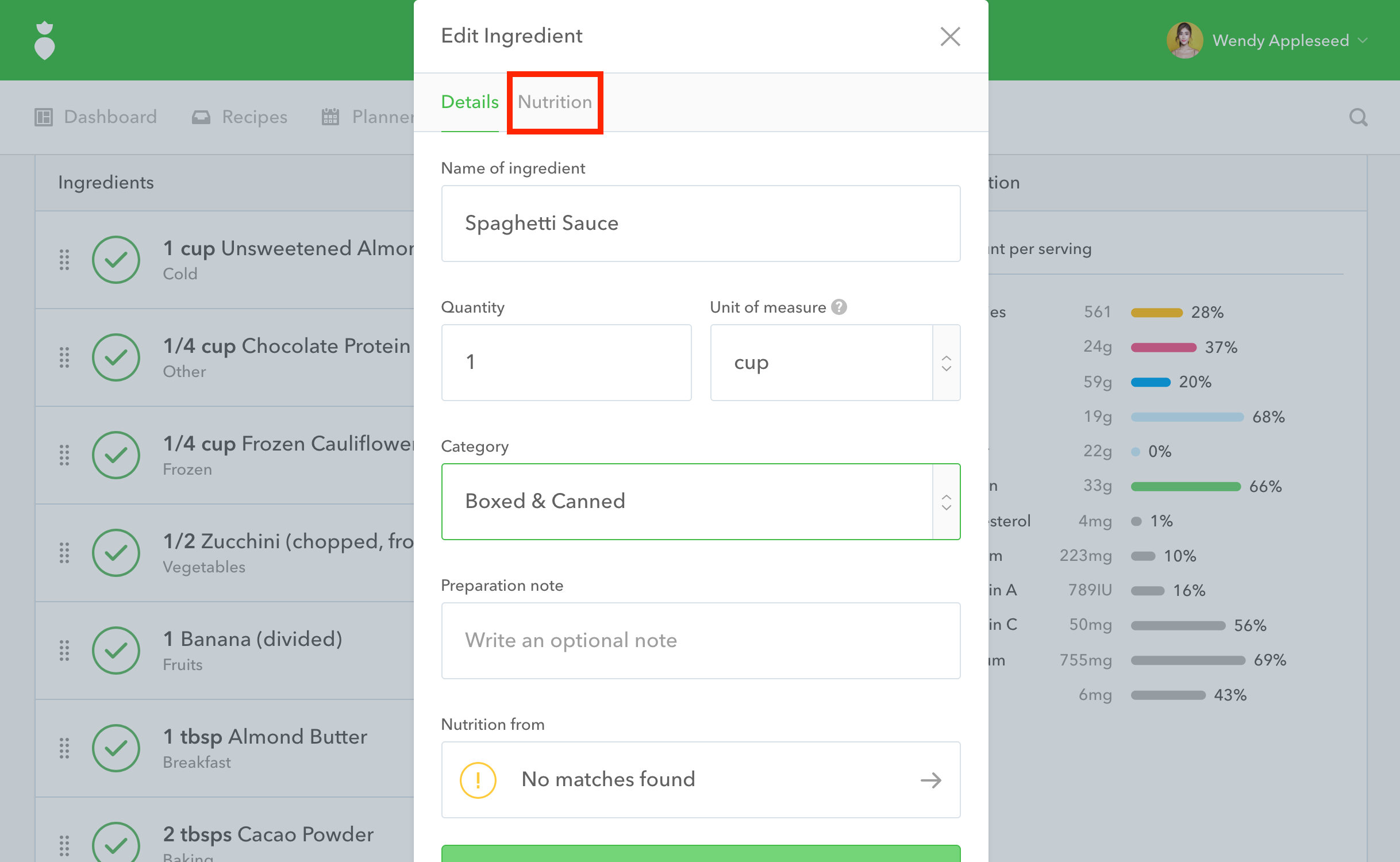
A dialog will pop up. Near the top of this dialog, click on the tab that says
Nutrition.
- 3
-
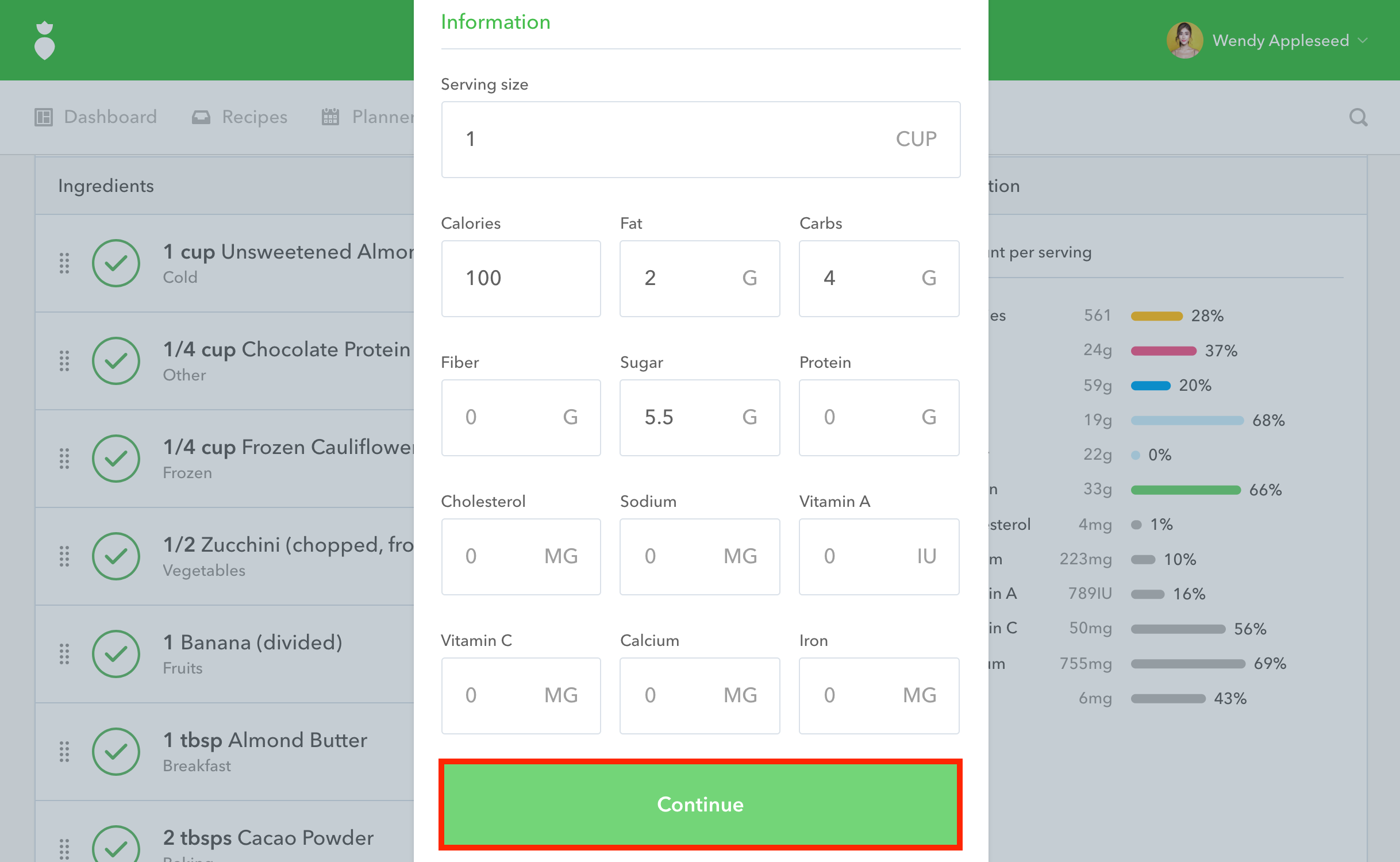
Input the nutrition facts into the appropriate fields and click the
Continue button
.
- 4
-
When you're happy with the details of the ingredient, click the Edit Ingredient button to save your custom nutrition facts.
Note: Once you've entered in the nutrition facts for your own custom ingredient once, we will always remember it for you as a custom ingredient to reuse in future recipes.