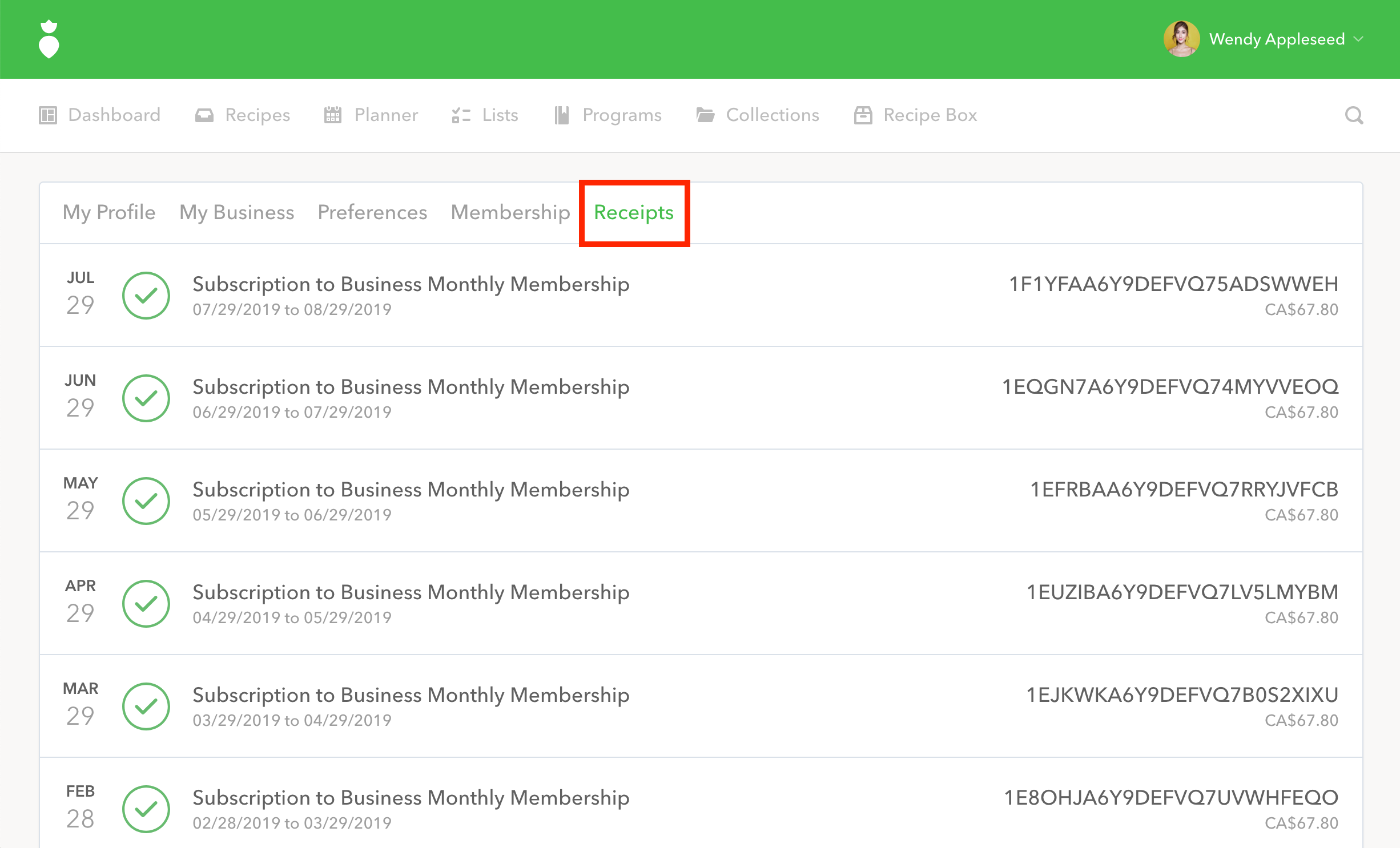
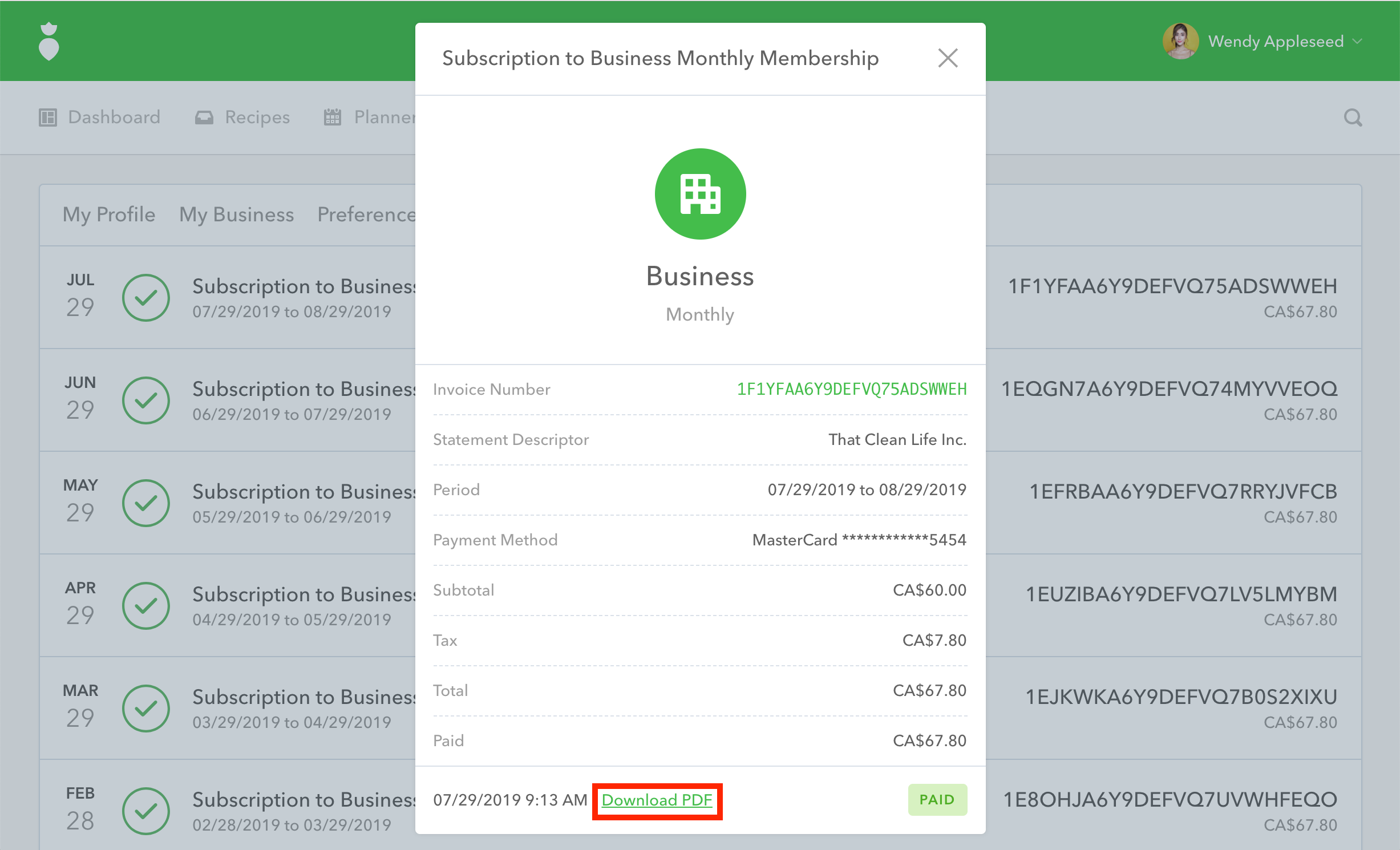
You can view and download a copy of your last two years of billing receipt(s) from your Receipts tab within your account settings.
- 1
Once you are logged into your That Clean Life account, click on your name in the top right-hand corner to access Your Profile.
- 2
Click on the Receipts tab.
- 3
Click on the receipt you'd like to view.
- 4
You can choose to take a screenshot or click "Download PDF" located at the bottom of the dialog to download a PDF version of your receipt.